MLS Touch
Access, Realcomp MLS. Anywhere.
MLS Touch is the advanced mobile app from CoreLogic®, seamlessly integrated with RCO3®/Matrix, OneHome, and Realist.
Whether you're in the office, at a listing appointment, showing homes, or meeting with a client, MLS Touch gives you access to MLS listings, property and tax information, OneHome client activity, and now the ability to add and edit listings—all from your mobile device.
MLS Touch helps you stay connected and productive wherever your business takes you!
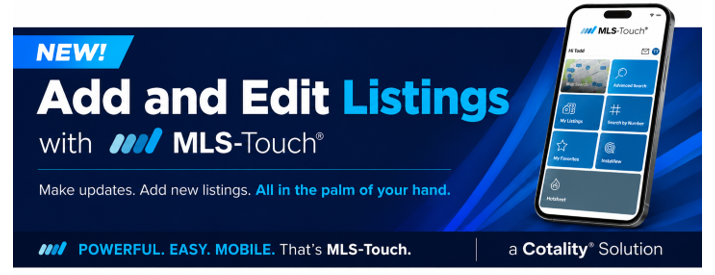
NEW! Add and Edit Listings with MLS Touch
MLS Touch now lets you add new listings and edit existing listings directly from your mobile device.
Whether you need to update listing information, change a price or status, edit remarks, upload photos and documents, or start a new listing, you can do it without waiting until you're back at your computer.
Update Existing Listings
Keeping your listings current is easy with MLS Touch.
From My Listings, select the listing you want to update and tap Edit.
Tap Edit Full Listing to:
- Update listing information
- Add or replace photos and documents
- Edit listing remarks
- Add a virtual tour
Need to change a listing's status or price? Tap More Actions to make those updates quickly.
Pro Tip: Use your phone's talk-to-text feature to quickly create or update listing remarks.
Start a New Listing
You can also create a new listing directly from MLS Touch.
Enter the information you have available, save the listing as Incomplete, and return later to finish entering the remaining details before publishing.
Whether you're in the field or meeting with a client, you can start the listing process when it's convenient and complete it later.
More Than Property Search
MLS Touch gives you convenient access to many of the tools you use every day, including:
- Add and edit listings
- Update listing status and pricing
- Upload photos and documents
- Save incomplete listings and finish them later
- Search MLS listings
- Access property and tax information
- View OneHome client activity
Whether you're in the office or on the go, MLS Touch gives you convenient access to the tools you need to manage your listings and access MLS information from virtually anywhere.
Please Note:
Deleted Incomplete Listings
When an incomplete listing is deleted in the full Add-Edit system, it may continue to appear on the listing agent's My Listings page in MLS Touch for up to 48 hours before it is automatically removed.
Open Houses
Open houses cannot be added or edited using the Add-Edit feature in MLS Touch. To add, edit, or remove an open house, access the full Add-Edit system.
Training Video
https://youtu.be/-YaWtwJwIcY
Questions?
Questions about MLS Touch?
Contact Realcomp Customer Care at (866) 553-3430 or email support@realcomp.com.